Version and diff your work
Notebooks, saved queries and Apps are plain text files, so git is how you review and share them. ZLens adds a Source control page for people who do not use git every day, and a semantic diff for people who do.
Share your work from the workbench
- In the left rail, under Govern, click Source control.
- The left side lists changed files in two groups: Included (part of your next change) and Needs review. Click a file to see what changed. Use Include, Remove or Discard on each file.
- The Share your work panel walks you through four steps:
- Pick what to share.
- Describe your change in plain words, or click Write it for me from the changes.
- Share to your branch: click Share N changes.
- Ask for review: click Open review request. When it is open, you see Review request opened and View on GitHub.
Each file has a badge: Edited, New, Removed or Renamed. What changed lists the first added and removed lines in plain words, with a count of additions and removals. Code view shows the full numbered diff. Files you don't include stay in your workspace.
At the top, the branch menu has Create new branch…, and Get updates and Send bring in the team's changes and send yours. For the whole flow (connecting your own repository, sending as a branch, pull requests, and what happens when a file changed on both sides), see Share your work with your team.
If the project is not a git repository yet, the page offers Initialize Git
for this project. It runs git init and adds the ignore rules from
What goes into git for you. With no remote,
Add remote asks for the Remote URL (origin). Nothing is sent anywhere
until you add a remote and press Send.
What goes into git
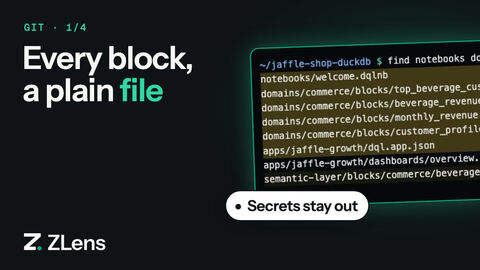
| Committed | Kept out of git |
|---|---|
.dql block files (saved queries) and their companion YAML |
.run.json results |
.dqlnb notebooks |
Local parts of .dql/: local/ (private notebooks and saved queries, Ask conversations), cache/, runs/, imports/, runtimes/, connectors/, memory/, migration-staging/, docker-starter/, plus provider-settings.json, oauth-credentials.json and mcp-servers.json |
Published Apps in apps/ |
dql-manifest.json (rebuilt by zlens compile) |
dql.config.json |
DuckDB files, node_modules/, .dql-user-prefs.json |
Some .dql/ folders, such as .dql/reviews/ and .dql/hints/, hold shared
review decisions and are committed.
A notebook's results go in <notebook>.run.json beside it. When you reopen
the notebook, cells show their last results with a cached chip, without
running the queries again.
See what changed in a saved query or notebook
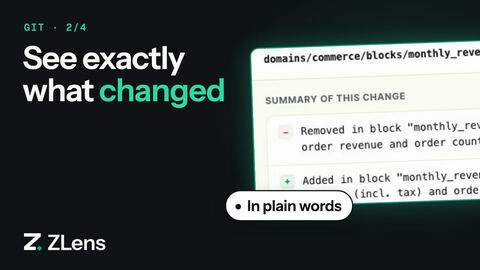
git diff shows changed characters. zlens diff shows what changed in
meaning:
zlens diff domains/commerce/blocks/monthly_revenue.dql   # against the last commit
zlens diff before.dql after.dql                          # two files
Example output:
~ block "monthly_revenue"
    owner: "analytics@jaffle.shop" → "finance@jaffle.shop"
    reviewCadence: "monthly" → "weekly"
zlens diff exits with code 1 when there are differences, like git diff.
Keep files in one canonical format
ZLens writes files in a canonical format, so saving an unchanged notebook does not create a diff. To check or fix a file by hand:
zlens fmt domains/commerce/blocks/monthly_revenue.dql            # format in place
zlens fmt --check domains/commerce/blocks/monthly_revenue.dql    # exit 1 if it needs formatting
zlens fmt takes one file at a time. To check or upgrade every file in the
project:
zlens migrate format --check    # report files that would change
zlens migrate format            # rewrite them
Prepare work for sharing
zlens promote removes local run state and UI state from a file before you
share it:
zlens promote notebook notebooks/customer_orders.dqlnb --to shared
zlens promote app <app-id> --to shared
Check the project in CI
See CI with zlens eval.