No dbt? Start from your database
ZLens does not need dbt. Point it at your database and choose the schemas to model. ZLens reads their tables, columns, comments, declared keys and view SQL, drafts entities and joins from them, and checks each join on the data. You then certify the ones Ask may rely on. Answers carry the same trust labels as in a dbt project.
What happens to your rows: ZLens reads table structure and counts rows to check keys. Sample rows are shown only to you, on this computer. Nothing is sent anywhere unless you turn on value profiles for AI answers, which send a few example values to your AI provider. With them on, Setup says Value profiles are on: a few column values are sent to your AI provider.
This page uses a DuckDB file as the example. The steps are the same for PostgreSQL, Snowflake and the other supported databases; only the connection differs.
Try it on a ready-made sample
jaffle-shop-warehouse
is the Jaffle Shop data as a plain DuckDB file, with no dbt files and a
ZLens database-only workspace already set up. Clone it and follow its
README, or use your own database. The examples below use that
jaffle_shop.duckdb file, whose tables are in the dev schema.
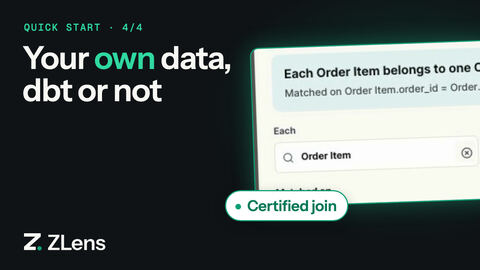
Path B in the video (no dbt) starts at 0:29.
The quickest start: open the folder
Put the database file in a folder and open that folder. No init, no flags:
npm i -g @zlens/cli --allow-scripts=better-sqlite3
zlens notebook ./shop
  No ZLens project here. Create one? [Y/n]
  Found the database jaffle_shop.duckdb; the project will be Database only.
Press Enter. ZLens creates a Database only project in the folder, with a
connection to the file, and opens the workbench on Guided Setup with
Database only already chosen. Setup asks two plain questions, connects
the file (it tests the connection itself), lists the schemas it can see, and
drafts your tables and joins. See Or use Guided Setup
for the steps. A folder that holds dbt_project.yml becomes a dbt project
instead.
Without a terminal (a script, CI, a desktop launcher) zlens notebook never
waits for an answer. It prints the one command to run:
No ZLens project here: /work/shop (found the database jaffle_shop.duckdb).
To create one and open it, run:

  npx zlens notebook shop --yes
--yes creates the project without asking. The rest of this page does the
same steps from the terminal, one at a time.
You end with:
- a ZLens project that models your database directly (
warehouse-first) - draft entities and joins, checked on the data
- a certified join that Ask uses automatically
Before you start
You need:
- Node.js 20, 22 or 24, with 24 LTS recommended (
node -v). Node 25 and 26 are not supported yet: ZLens's DuckDB driver has no prebuilt binary for them. - a database ZLens can read, and a login that can see the schemas you want
to model and
SELECTfrom their tables
No dbt, Python or hosted account is needed.
1. Install ZLens
npm i -g @zlens/cli --allow-scripts=better-sqlite3
zlens --version
npm 12 needs --allow-scripts=better-sqlite3; see
npm 12 and install scripts.
To install the CLI into a project instead of globally, see Install.
2. Create a warehouse-first project
mkdir my-analytics
cd my-analytics
cp /path/to/jaffle_shop.duckdb .
zlens init
The cp line is only for DuckDB: the database file sits in the project
folder. A DuckDB file and no dbt project make a Database only project; no
flag is needed. zlens init prints what it found:
  Detected:
    dbt project: no
    DuckDB file: jaffle_shop.duckdb
    Project type: Database only (ZLens reads the database's tables; no dbt needed)
It writes dql.config.json with:
"manifestVersion": 3,
"modeling": { "mode": "warehouse-first" }
When it finds a DuckDB file in the folder, it also adds a default connection
to it. Otherwise the project has no connection yet; you add one in the next
step.
For a database that is not a file (PostgreSQL, Snowflake …), run
zlens init --warehouse-first, or plain zlens init and choose Database
only in Guided Setup (see below). In a folder with
neither a dbt project nor a database file, zlens init leaves the choice to
Guided Setup. You can also open Modeling in the workbench and click
Model my warehouse without dbt.
You can also create the project with create-zlens-app, which adds npm
scripts and installs the CLI into the project:
npx create-zlens-app my-analytics --warehouse duckdb --database-path ./jaffle_shop.duckdb
--warehouse <driver> creates a database-only project: warehouse-first
modeling, no dbt block, a default connection stub for that driver (secrets
as ${ENV_VAR} placeholders) and the same npm scripts as a dbt project,
where npm run sync runs zlens sync warehouse. --database-path is for
DuckDB and SQLite files. --dbt <path> creates one that reads the dbt
project at <path>. Run without either flag and with no dbt project next to
it, it asks whether the workspace is for a dbt project or a database only;
in CI or with piped input it keeps writing a dbt config for you to edit.
3. Connect your database
For DuckDB, install the driver into the project:
npm install --prefix .dql/connectors duckdb
For any other database, open Settings → Database in the workbench, pick it under Warehouse, fill in the fields and click Save connection. ZLens tests the connection before saving it. See Connect a database.
You can also write the connection in dql.config.json. A PostgreSQL
connection:
"defaultConnectionName": "warehouse",
"connections": {
  "warehouse": {
    "driver": "postgresql",
    "host": "db.example.com",
    "port": 5432,
    "database": "analytics",
    "username": "zlens_reader",
    "password": "${PG_PASSWORD}"
  }
}
A Snowflake connection:
"defaultConnectionName": "warehouse",
"connections": {
  "warehouse": {
    "driver": "snowflake",
    "account": "xy12345.us-east-1",
    "username": "${SNOWFLAKE_USER}",
    "authMethod": "password",
    "password": "${SNOWFLAKE_PASSWORD}",
    "warehouse": "ANALYTICS_WH",
    "database": "PROD",
    "role": "ANALYST"
  }
}
They need the pg and snowflake-sdk drivers. The
Connectors reference lists every driver's
fields, sign-in methods and install command.
4. Choose schemas and sync
zlens sync warehouse --schemas dev
  Schemas: jaffle_shop: dev
  ✓ Schema metadata for Ask: 13 relation(s).
  ✓ Warehouse catalog: 13 relation(s) → .dql/warehouse-catalog.json
ZLens read the tables, views, columns, comments, declared keys and view SQL
of the dev schema. It wrote them to .dql/warehouse-catalog.json, which
Modeling works from, and to the local index Ask searches.
--schemassaves your selection indql.config.jsonundermetadataScopes. Later,zlens sync warehousewith no flags syncs the saved selection again and lists what changed since the last sync.- Name several schemas with commas:
--schemas sales,finance. --database <name>reads another database or catalog than the connection's default.--connection <name>uses another connection.- A DuckDB file's default schema is usually
main. If the sync says it returned no authorized relations, the schema name is wrong or your login cannot see it.
In the workbench, the same step is Settings → Database → Metadata scope
(in Guided Setup it is the question Which schemas should ZLens read?). In
a warehouse-first project it says Choose the schemas to model. Click
Find available databases & schemas, tick the schemas (or list them one
line per database, DATABASE: SCHEMA, SCHEMA) and click Apply and
synchronize. The status line then reads Modeling catalog · 13 tables and
views with their keys and comments.
Optional: show the drafter what the columns hold
A column list says ordered_at TEXT; it does not say the text reads
12/31/2021 11:45 PM, or that a status is spelled delivered. With a value
profile, each sync also reads the three most frequent values of every text
column and the smallest and largest value of every number column (over at
most 50,000 rows per table, within two minutes), and Ask's SQL drafter sees
them beside each column.
It is off by default, because those values are sent to your AI provider
with the drafting prompt. Turn it on in dql.config.json, then sync again:
{
  "agent": {
    "valueProfile": { "mode": "sampled", "exclude": ["^internal_", "notes$"] }
  }
}
- Columns whose names mark contact details, credentials, identity documents,
accounts, personal names or pay (
email,phone,ssn,password,api_key,address,birth,first_name,salary, …), and name columns of tables of people (customers.name,users.display_name), are never read.excludeadds your own name patterns (case-insensitive regular expressions). - A sampled value that looks like an email address, a phone or social security number, a URL or a credential is dropped, whatever its column is called.
- The profile is kept in
.dql/cache/value-profile.json(never committed), rebuilt at each sync, and ignored when it describes another catalog. - Under a hosted server (RFC 0010 host hooks), where row and column policies decide what each reader may see, no value is read or shown.
- Set
"mode": "off"(or remove the block) to turn it off: Ask stops using it at once, and the next sync deletes the file.
Ask answers never send result rows to the provider; the value profile is how stored values reach it, and only when you turn it on.
5. Draft your models
zlens model discover --validate
ZLens drafts one entity per table and the joins between them. It uses
declared primary and foreign keys, view SQL and naming conventions such as
customer_id, and cites the evidence for each join. --validate checks each
join and each candidate key on the data, with aggregate-only queries, and
proposes the cardinality it saw:
ZLens warehouse discovery (draft only, checked on the warehouse)
  catalog 681422b6800e · 13 relations · 13 new entities · 23 new relationships
Entities
  jaffle_shop.order ← jaffle_shop.dev.orders · grain order_id (unique on the warehouse)
Relationships
  order_item → order on order_id = order_id · many_to_one · warehouse: passed
      because both models have order_id
Joins through a view that itself joins or aggregates are not checked automatically; a person validates those.
Nothing is written yet. Add the drafts to the project:
zlens model apply-discovery --apply --validate
ZLens warehouse discovery apply
  37 draft change(s) written:
    domains/jaffle-shop/domain.dql
    domains/jaffle-shop/modeling/model.dql.yaml
  Everything is a draft. Review and certify on the Modeling page.
- Drafts go into one Domain named after the database (Jaffle shop,
id
jaffle_shop, fromjaffle_shop.duckdb), never after a schema named for a layer or environment such asdev,mainorpublic. A schema named for a business area, such assales, gets a Domain of its own.--domain <name>puts every entity into one Domain you name. You can rename a Domain later in Modeling → Domain settings. - Staging copies are left out: when a
stg_table (or a table in astaging,stgorrawschema) and a final table hold the same thing, such asstg_customersandcustomers, only the final one is drafted. The report lists what it left out.--include-stagingdrafts them too. --query-historyalso counts the joins in recent queries your login can see, on Snowflake, PostgreSQL (pg_stat_statements), Databricks and BigQuery. Query text is read in memory and dropped; only which columns were joined, and how often, is kept.
In the workbench, Modeling → Draft from warehouse runs the same discovery and opens the drafts as a proposal you review before anything is saved. Tick Use query history first to include query history. The review shows one plain line per kind of note, such as 13 tables placed in the default area; the codes and ids behind them are under Technical details. When staging copies were left out, a line says which, with Show staging tables to draft them too.
Drafts are kept until you save or discard them. Close the review with Keep for later, reload, or come back another day: Modeling says N drafted models waiting for review, with Review drafts and Discard.
6. Review and certify
zlens notebook
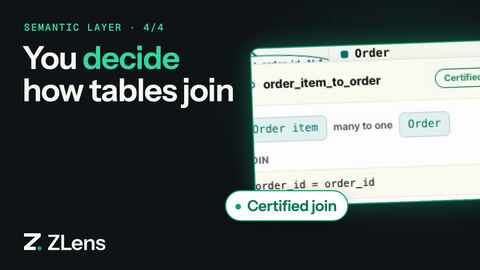
Open Modeling. The map shows the drafted entities and joins. Click a join, then Edit relationship. Under What Ask may do with it, pick one:
| Level | Ask's behaviour |
|---|---|
| Draft | Ask sees it as a hint only. |
| Validated | Checked safe to join. Ask prefers it when it writes SQL. |
| Certified | Ask must join these models on exactly these keys. |
Before you can certify a join, both models need a grain and keys. Drafting
sets them when a table has a primary key, or an id column the data shows is
unique; the model card then shows 1 row = …. If a card has no
1 row = line, right-click the model on the map and choose Edit model.
Set Grain override (what one row means, such as one row per order) and
Key overrides (such as order_id). Click Preview source change, then
Save. When you open Edit relationship, the Warehouse check must
say Safe to join.
Choose Certified, click Review change, check the proposal and click Save. From the terminal you can confirm it:
zlens model explain jaffle_shop::relationship::order_item_to_order
jaffle_shop::relationship::order_item_to_order: jaffle_shop::entity::order_item → jaffle_shop::entity::order
  many_to_one; fanout=safe; status=certified
  automatic join allowed
The model lives in domains/, so commit it and review changes in git like
any other code.
7. Ask your first question
Ask needs an AI model: set up an AI provider. Then open Ask and type a question, such as Which customers spent the most?
Ask works from the synced schema and the joins you modeled. It labels the answer with what it used, as it does in a dbt project. SQL that AI wrote is labelled for review and saved as a draft saved query; certify that saved query, and Ask can answer the question from it as Certified. Metrics you add with Modeling → New metric give From Metrics answers. See Ask a question.
Or use Guided Setup
The first time you run zlens notebook, Guided Setup opens. Its first
step asks Where does your data model live?:
- dbt project: ZLens reads your dbt project. See Add ZLens to your dbt project.
- Database only: the path on this page.
- Both: a dbt project plus schemas dbt doesn't cover (a
hybridproject). Apply the dbt project on the same step; the next step adds the other schemas. - Open an existing ZLens project: for a folder whose
dql.config.jsonalready sets up the data model, such as a teammate's repository. Setup shows the mode the project uses, then asks only for the connection's credentials and tests it. It lists the environment variables the connection reads (${NAME}values) and which are not set yet. Export those in the shell that startszlens notebookand restart it. Then click Refresh dbt data (or Refresh warehouse tables for a Database only project), which reads the dbt project and the saved schemas again; the models and certifications come from the repository, so there are no modeling questions. For a dbt project, extra warehouse schemas are under Advanced ("Optional: add warehouse schemas dbt doesn't cover").
Setup chooses the card from what the folder holds: Database only for a
folder with a database file and no dbt project, dbt project when it finds
dbt_project.yml that ZLens does not read yet, and Open an existing ZLens
project when dql.config.json already sets up the data model: a dbt project
whose manifest is built, or a Database only project whose model is already
written.
With Database only, Setup walks through the steps above:
- Connect your database. A DuckDB file found in the folder is already connected, and Setup tests it for you; otherwise fill in the form and Save connection (it tests before saving). Personal dbt profiles from your home folder are not shown: there is no dbt here.
- Which schemas should ZLens read? Setup lists the schemas as soon as the
test passes (Find available databases & schemas lists them again).
Tick the ones that hold your tables. Schemas named
staging,stgorrawwait behind Show staging tables when the database has others. - Click Apply and synchronize.
- Click Draft my models. It runs the same discovery as
zlens model discover --validateand says what it drafted, for example Drafted 9 models and 12 joins from 13 tables, each join checked on the data. It also says: - which staging copies it left out (Left out 4 staging tables (stg_customers, stg_orders, …): a final table holds the same data), with Show staging tables to draft them too;
- the Domain the tables go in, named after your database (Your tables go in the Domain Jaffle shop), with Rename;
- 9 drafted models waiting for review in Jaffle shop. They are kept until you save or discard them. Nothing is written to the project yet, and nothing is lost if you leave Setup or Modeling without saving.
- On the last step, Review drafted models opens Modeling with the drafts. Save them, then certify the joins Ask may rely on, as in step 6.
- Build an App or ask a question.
Index mode, the typed schema list and the technical index details are under
Advanced on step 2, closed. Setup saves where you are: stop
zlens notebook and start it again, and Setup opens on the same step with
your answers. Finishing or closing Setup clears that.
In Apps → Data, the tables Setup drafted show Drafted — review to use, with a link to Modeling, and tables your model already binds show Modeled; both are listed first, under a line such as 9 drafted models waiting for review. Check and add reuses the row key the draft checked, so it counts one column instead of guessing. Staging copies of a listed table are hidden behind Show staging tables there too.
You can run Guided Setup again from Settings → Overview → Guided Setup.
Which databases work
Every database in Settings → Database can be synced. How much the sync reads depends on the database:
| Database | Sync reads |
|---|---|
| DuckDB, SQLite, PostgreSQL, Amazon Redshift, MySQL / MariaDB, SQL Server / Azure SQL, Microsoft Fabric, Snowflake, Databricks (Unity Catalog), BigQuery | tables, views, columns, comments and declared primary and foreign keys |
| Trino / Starburst, Amazon Athena | tables, views, columns and comments; they declare no keys, so joins come from naming, view SQL and --validate |
| ClickHouse | tables, columns and comments; no declared keys |
| Any other | tables, views and columns from information_schema |
Columns are always read. Comments, keys and view SQL are read when the
database and your login expose them. A sync that cannot read one still
finishes, and names what it skipped. Databricks and BigQuery extraction is
tested against their information_schema output but has not yet been run
against a live account.
Add dbt later
A warehouse-first project can take on a dbt project at any time. Apply it in
Settings → Project & dbt, and the project becomes hybrid: dbt models
and the warehouse tables you modeled work side by side, and the entities you
bound to warehouse tables keep working. See
Modeling and Domain Packages.
Next
- Connect a database: sign-in options and the metadata scope.
- Modeling and Domain Packages: how the three modeling modes work.
- Keep a query as a saved query and certify it.
- CLI reference.