Ask a question
Ask answers business questions in plain English. Every answer says what it is built on, so you know how far to trust it.
ZLens tries the most trusted source first:
- a certified saved query that answers the question,
- then semantic metrics from your semantic layer,
- then SQL written by AI from your tables, marked as needing review.
The Ask page says this in its header: Certified first · semantic next · generated SQL last.
If none of these can answer safely, Ask refuses and says why.
Before you start
Ask needs an AI provider, even for certified answers. See Set up an AI provider.
- Open Ask from the left rail.
- Ask "How has revenue changed by month?".
- The answer is labelled Certified answer, from the monthly_revenue block, with its owner.
- The result table shows gross revenue and order count for each month.
- Switch the result to Visualization to see the monthly trend as a line chart.
- Open How it was answered to see the steps Ask took.
Ask
- In the left rail, click Ask.
- Type your question in Ask anything about your data…, for example
Who are the top customers by lifetime spend? - Press Enter. (Shift+Enter adds a new line.)
On the Jaffle Shop sample, try How has revenue changed by month?. It
answers from the certified saved query monthly_revenue.
While Ask works, you see each step, such as Searched the project: 1
certified saved query, 24 metrics… and Asking the AI to read the question.
Click Stop to cancel.
Read the answer
The answer starts with a trust line, then a short summary and the result table. For a question that a certified saved query answers:
- The trust line reads Certified answer, followed by from and the saved query's name, and its Owner.
- The result card says
certified saved query. - Results shows the rows; Visualization shows a chart.
Other trust lines:
| Trust line | Means |
|---|---|
| Certified answer | Ran a certified saved query exactly as reviewed. |
| Answer from Metrics | Built from semantic metrics and dimensions. Not certified. |
| AI-generated answer | AI wrote the SQL from your tables. Check it before relying on it. ZLens saves it as a draft saved query for review; see Answers that need review. |
| Needs clarification | Ask needs one more detail. Answer the question it asks. |
| Couldn't run this query or No matching data | Ask refused or found nothing, and says why. See When Ask refuses. |
See how it answered
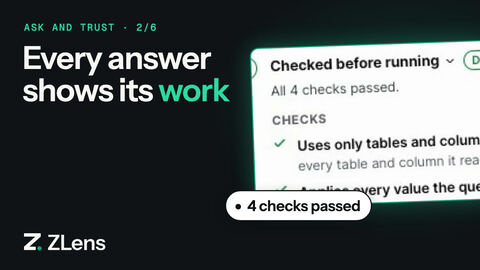
Under each answer, click How it was answered. A panel opens with tabs:
- How it answered: the steps it took, such as Certified saved queries, Semantic layer, Checked before running and Ran on the warehouse, each marked done or skipped.
- DQL and SQL: exactly what ran.
- Data used: the certified saved query, metrics, tables, joins and filters.
- Checks: the checks run before the query.
See How Ask answered for the full trace.
Keep the answer
In the answer's panel:
- Save as saved query saves the query as a draft saved query. See Save and certify.
- Add to app opens Save to an editable App. Pick an App or New app…. A certified answer is saved as a certified tile (Saved as a certified tile). Other answers say Saved — review required. Click Open App to see it.
Narrow the question to one domain
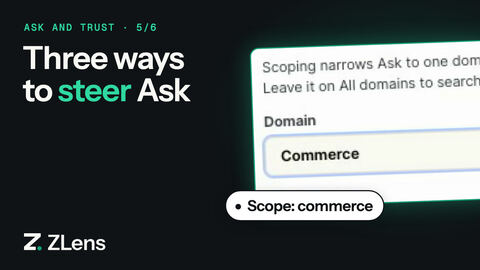
Click Scope: All domains above the question box. Pick a Domain, and optionally a Subject area and a Purpose, then click Apply. Ask then searches only that domain's models, terms and skills.
Choose how hard Ask thinks
Click Answer settings (the sliders icon under the question box):
- Thinking: Auto (default), Low, Medium or High. High cross-checks the number, so it is slower.
- Research mode: for "why" questions that need several queries.
- Model: shows the AI provider in use. Change it in Settings → AI provider.
Follow up
Ask a follow-up in the same chat, such as And the month before?. Ask keeps
the context. To ask about one part of an answer, select it. A Follow up on
this box opens with Why is this?, Root cause and Break it down.
You can also type your own question.
Conversations
- Each conversation is kept, so you can continue it later. They are listed under Recent; pin the ones you use often to Favourites.
- New chat starts a fresh conversation.
- Conversations are private to your machine and are not committed to git. The list says Private project history · not committed to Git.
- Hover a chat to pin it (star) or rename it (pencil).
Ask from the terminal
zlens agent ask "Who are the top customers by lifetime spend?"
It prints the trust label (✓ Certified, · From Metrics,
! AI-generated · review required or ✕ Blocked), the answer, and
Trace: <id> (complete). With --thread <id> it also prints the thread.
List conversations with zlens agent threads.
Your AI agent (Claude Code, Codex, Cursor) can use the same Ask through MCP. See Connect your AI agent.