Answers that need review
When no certified saved query or semantic metric answers a question, Ask can write SQL from your tables with AI. That answer may well be right, but nobody has checked it yet, so ZLens labels it and keeps it as a draft for review.
- Open Ask from the left rail.
- Ask "What is the average order value at each store?".
- The answer is labelled AI-generated answer and shows the two stores by name, Philadelphia and Brooklyn, with their average order value.
- Below the result, Ask notes it saved the query for review as a draft block, not certified.
- Open draft to review opens the draft block in Block Studio, where it can be reviewed and certified.
What you see
For a question such as How many orders were placed at each store location?
in the sample project:
- The trust line reads AI-generated answer, with the checks it passed, for example 4 checks passed.
- The summary says where the answer came from, for example
Source: SQL written by AI from the schema (review before relying on it). - The result card says
AI-generated. - Under the result, a line reads Saved for review as a draft saved query (not
certified): and the draft's path, such as
domains/commerce/blocks/_drafts/many_orders_placed_each_store_location.dql. - Open draft to review opens that draft in the saved query editor.
The draft is named after its file, here many_orders_placed_each_store_location.
When every table the answer reads is listed in one Domain's Source systems
(in the sample, orders and locations are both in commerce), the draft
is saved in that Domain and its Domain is already set. When the tables
belong to more than one Domain, or to none, the draft is saved in
blocks/_drafts/ with no Domain, and you pick one when you certify.
If the same question is asked again, ZLens reuses the same draft and counts the repeats (asked N times). A question many people ask is a good one to certify first.
Review and certify the draft
- Click Open draft to review, or find it in Saved queries in the Drafts folder.
- Check the SQL and click Run to look at the rows.
- Check the Saved query name and Domain, set an Owner and a clear description. Add a test if you can. To change the Saved query name, Domain or Owner, click Open in builder. These fields are in the Details box.
- Click Certify. If the draft has no Domain yet and your project has Domains, the saved query editor asks for one first: a Domain, or Global / cross-domain for an answer that spans Domains.
When it passes, the saved query is Certified and is saved in its Domain under its
name. A certified saved query is available to Apps because it is certified, so it
carries no app-source tag. Ask uses it from then on: the
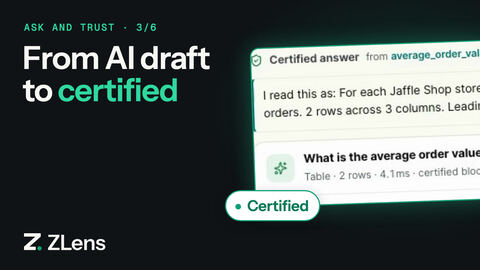
same question now gets a Certified answer. See
Save and certify.
Optional: a second look at the result
AI-written SQL can run cleanly and still compute something else: one row per country where the question asked for one number, or a date column that came back empty because the text did not parse. With the result review on, Ask checks each AI-drafted result before it answers:
- One more AI call sees the question, the SQL and the result's shape: how many rows, how many distinct and empty values each column has, and whether rows repeat. It never sees a value from the result.
- If it names a concrete defect, Ask revises the SQL once, with that reason. The revision is the answer only if it runs and returns rows; otherwise the first answer stands.
- The run's details list the check as Checked the result against the question, with Answers it or Asked for a revision.
It applies to every AI-drafted answer, including one drafted straight from
the question; certified and governed answers are not checked. It costs about
one AI call per AI-drafted answer (median 3.6 seconds on Claude), so it is
off by default. Turn it on in dql.config.json; Ask reads it at every
question:
{ "agent": { "resultReview": { "mode": "on" } } }
ZLENS_ASK_RESULT_REVIEW=1 turns it on and =0 off for one server or
command, whatever the project says.
When no draft is saved
ZLens saves a review draft only when the answer actually ran and produced
SQL. It does not save one for a refusal, a cancelled run, or a Research
report. Evaluation runs (zlens agent eval) never write drafts.
To keep an answer that was not saved, click Save as saved query on it. Save as saved query opens the Save as saved query dialog; Save draft saved query saves a draft and opens it in the saved query editor.
Other labels you may see
- Answer from Metrics: built from semantic metrics and dimensions, with no AI-written SQL. If ZLens had to guess how to group a dimension, the note says Review required and asks you to check the mapping.
- Needs review on an App page answer: the answer read an App tile whose data is not certified. See Ask about an App.
- On the command line,
zlens agent askprints! AI-generated · review requiredand the draft path:Review draft saved: <path>.