Import SQL
Turn SQL you already have into draft saved queries (.dql block files). ZLens
reads the SQL, drafts a
saved query for each query and runs a preview. You review each draft, save the ones
you want to keep, and certify the ones that are right.
- Open Blocks and start an import.
- Paste a SQL query that counts orders per store, and set the domain and owner.
- Generate DQL drafts; the draft gets a name, description, outputs and checks.
- Save draft; the draft is saved and marked needs review, and Certify becomes available.
- Certify the draft; it is now certified.
- Open the block in Block Studio; its receipt reads Certified by, with the date, via SQL import, under OSS rules.
1. Open Import SQL
- In the left rail, click Saved queries.
- With no saved query open, the saved query editor shows Create saved queries. On the Import SQL card, click Start import.
The page is titled Import SQL to DQL and shows three steps: Source, Draft and Review.
2. Give it your SQL
Pick one:
- Paste SQL: paste one or more queries.
- Upload files: pick
.sqlfiles. - Local path: a file or folder inside your project.
Only .sql files are read. Put several queries in one file by ending each
with ; or a GO line.
Optionally set Domain and Owner. Then click Generate DQL drafts.
ZLens works through Reading SQL and Running previews, then Import complete. Nothing is written to your project yet: a draft becomes a saved query file only when you click Save draft on it.
3. Review each draft
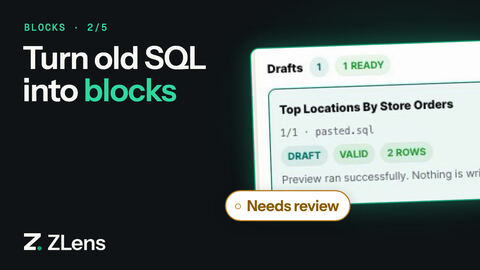
The Drafts list shows one row per query. Click a draft to see:
- Review details: name, domain, owner, description, grain, outputs and other fields you can edit.
- Preview Results: the rows the query returned.
- Original SQL and Draft saved query: before and after.
Click Show context (N) to see the Grounding: the tables and columns ZLens matched, with any warnings. Hide context closes it again.
A draft says Preview ran successfully. Nothing is written until you save. After you edit Review details, click Apply edits. When a draft repeats a saved query you already have, it is marked reuse recommended, and Show context names the one to use.
The draft runs your SQL, and so does its preview. Only a query that is
exactly a metric query becomes a saved query built from metrics: one table, no joins,
filters, ORDER BY or LIMIT, each aggregate the same as a metric's
definition and named like it, and every other column a dimension it groups
by. For example, select region, sum(revenue) as total_revenue from orders
group by 1 becomes the total_revenue metric by region.
A matching name alone is not enough. If an output only shares a metric's
name (say count(*) as order_count over a join, and a metric named
order_count), the draft runs your query, and Generation audit in the
context panel notes the shared name, so you can check that the two agree or
use the metric instead.
Edit the review details if something is wrong. Edit full DQL opens the whole saved query. If ZLens finds a similar certified saved query, the save button reads Reuse existing and is disabled, and there is no Certify: use the existing saved query instead of saving a copy.
4. Save the draft
Click Save draft. This is when the .dql block file and its companion YAML are
written. The message reads Draft saved · needs review. Certify it when it is
ready.
- A draft needs an Owner.
- If you changed the review details, ZLens saves the values you see.
- If the name is taken, rename the draft and save again.
5. Certify it
Click Certify. It is available once the draft is saved.
ZLens runs the saved query and its tests, if it has any (tests are optional). When
the checks pass, the saved query moves out of _drafts/ to its normal place and is
Certified, with a receipt that says via: sql-import. When they do not,
you see Not certified; the draft is unchanged. and the reasons. See
Save and certify for the rules.
Where the drafts go
Saved drafts go in:
domains/<domain>/blocks/_drafts/when your project has domain folders, otherwiseblocks/_drafts/<domain>/.- The import session is cached in
.dql/imports/<session>/. Import history lists past sessions.
From the terminal
Unlike the Import SQL page, the terminal command saves every draft as it goes.
zlens import sql ./legacy-sql --domain finance --owner you@example.com
It prints one line per query with the draft's path, and ends with:
Drafts are autosaved under blocks/_drafts or domains/<domain>/blocks/_drafts. Review, preview, then certify selected candidates.
Then certify a draft with
zlens certify --from-draft <path> --owner you@example.com.