Lineage
Lineage shows where a number comes from and what uses it: from your warehouse
tables (and, if you use dbt, the sources and models behind them), through
saved queries, to the dashboards and Apps that show them. ZLens builds it from your
synced warehouse catalog or dbt manifest plus your ZLens files. Run
npm run sync (or zlens compile) after warehouse or dbt changes. The
workbench picks up changes to your ZLens files on its own.
- Open Lineage from the left rail.
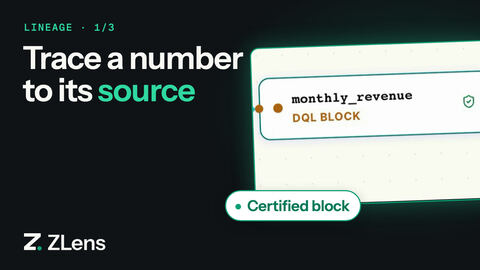
- Pick the monthly_revenue block to trace.
- The graph shows dbt sources and models upstream, the block in the middle, and its chart, dashboard and App downstream.
- Click the orders dbt model to highlight its path into the block.
- Click the Jaffle Growth Review App to highlight the path from the block to the App.
Trace one item
- In the left rail, click Lineage.
- Trace lineage asks you to pick something. Use the tabs (Saved queries, Apps, Notebooks, Dashboards) or Search saved queries….
- Click an item, such as the saved query
Top customers by lifetime spend.
The graph shows everything upstream and downstream of it. In the sample
project that is: the raw dbt sources, the staging and mart models
(stg_customers, orders, customers and so on), the saved query, the dashboard
page, and the App.
Each card names the item and its type, such as dbt Model, Saved query, Dashboard or App. Certified saved queries have a green shield.
Use the zoom buttons in the corner to zoom in and out. The fit-view button brings the whole graph back into view. The small map shows where you are on a large graph.
The status bar reads, for example, End-to-end lineage of Top customers by
lifetime spend · 18 nodes · 18 edges and Compiled from the dbt manifest.
The status bar names what the lineage was built from: on a project without
dbt (warehouse-first) it reads Compiled from the synced warehouse catalog,
and on a hybrid project it names both.
Focus on one path
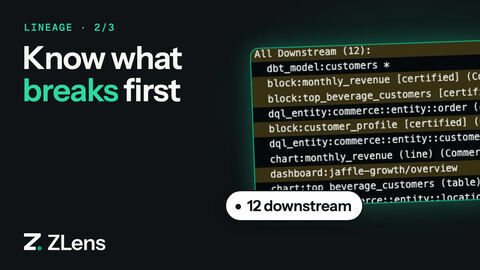
Use it before you change a dbt model: click the model, then Trace from here, to see everything that depends on it.
Click a card. Everything that is not upstream or downstream of it fades. A card in the corner shows how many items are upstream and downstream, and offers:
- Trace from here: make this item the one you trace.
- Ask about this: ask AI to explain where it comes from and what uses it.
Click the empty canvas, or Show all, to clear the focus.
Change the view
| Control | Options |
|---|---|
| View | Technical (sources and dbt), Domain (terms, domains, metrics, certified saved queries), End-to-end (everything) |
| Layout | Flow or Layered |
| Direction | LR (left to right) or TB (top to bottom) |
To trace something else, click Tracing at the top left, or type in Search another saved query, app, or notebook….
From other places
- A notebook cell: open Cell SQL lineage or Project saved query lineage under the cell, then View in DAG.
- A saved query: the overview shows Used in and a Lineage row with what it reads from and where it is used. In the Lineage tab at the bottom, Open Focused Lineage opens the Lineage Inspector beside the saved query.
- An App: click the lineage icon (Open dashboard lineage) in the App header. It shows the page's focused lineage. Click Full graph for the whole path back to the raw sources.
From the terminal
zlens lineage                                     # summary of the whole project
zlens lineage "Top customers by lifetime spend"   # one block, App, model, metric…
zlens lineage --domain finance                    # one domain
zlens lineage cross-domain                        # flows between domains
zlens lineage --format json                       # the whole graph as JSON
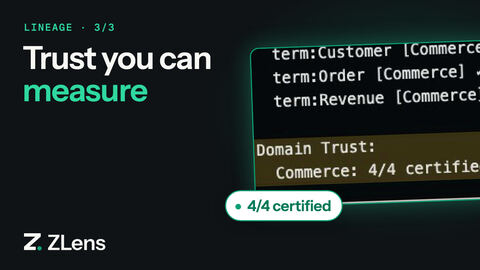
The summary ends with Domain Trust: how many saved queries in each domain
are certified, for example commerce: 4/4 certified (100% trust).
For one item, it prints its direct and full upstream and downstream, for example:
  Block Lineage: Top customers by lifetime spend
  ==================================================
  Type: block
  Status: certified

  Direct Upstream (1):
    dbt_model:customers

  Direct Downstream (2):
    chart:Top customers by lifetime spend (table) (uncategorized)
    dashboard:customer-overview/overview
When an item has more than its direct neighbours, the output adds All
Upstream and All Downstream. Run it on a dbt model before you change the
model, for example zlens lineage orders. It lists every saved query, chart,
dashboard and App that depends on the model.
The workbench rebuilds lineage on its own when your files change. The terminal
reads dql-manifest.json as it is, so after a change run zlens compile
first, or add --no-manifest. If it says No lineage data found, run
zlens compile.
What lineage tracks
Node types: source tables, dbt sources and models, semantic metrics and dimensions, business terms and views, domains, saved queries, charts, notebooks, dashboard pages and Apps. For the full model, see Lineage model.