Ask about an App
Every App page has its own Ask box. Questions asked there stay inside that App: Ask reads the page's current results, each tile's source and trust label, and the filters on screen.
Ask
- Open an App page and let it finish running.
- In Ask about App name…, type a question, for example
Which customer leads this table? - Click Ask.
Under the box, the scope line reads Scoped to App, followed by · page when the page's title is not the App's own name. Chips show the domain and any filters with a value, such as Domain: general. A panel titled Ask about App name opens with the answer.
Which questions are answered from the page
ZLens decides from the words of the question. A question is answered from the page's results when both of these hold:
- It does not ask why or what next. A question with why, cause, causes, caused, driver, drivers, root cause, forecast, predict, prediction, recommend, recommendation or what if always goes through the full Ask steps.
- It points at what is on screen, with one of:
- this or current followed by app, page, dashboard, view, screen,
tile, chart, table, story, report, result, ranking or list, for example
this tableorcurrent results; - the app, the page, the dashboard, the screen or the view;
- shown, displayed, visible, or on the screen, on the page or on the dashboard;
- in here, on here or from here.
- this or current followed by app, page, dashboard, view, screen,
tile, chart, table, story, report, result, ranking or list, for example
A question asked from one tile (Ask AI about this in its ⋯ menu) also
counts when it says this, these or it, for example
Explain this.
Every other question goes through the full Ask steps, limited to this App: Ask uses the App's domain (when the project declares that domain) and adds the filters on screen to the question. Ask applies each filter or says it could not.
A question answered from the page can still go to the full Ask steps: when the AI model reads the page and says its results do not answer the question, Ask answers it the ordinary way, with the same limits.
Read the answer
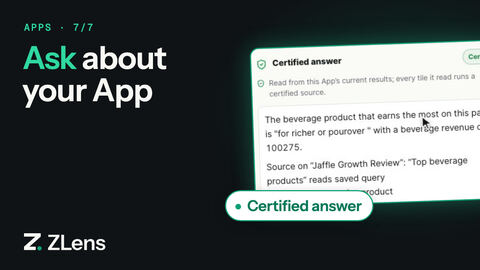
For a question about what the page shows, Ask answers from the page's own results. It runs no new query, and the answer cites each tile it read, for example:
Source on "Overview": "Top customers by lifetime spend" reads saved query Top customers by lifetime spend (…) — Certified: Runs a certified saved query exactly as it was reviewed.
The answer's trust is the weakest tile it read. The answer's heading says its trust: Certified answer, Answer from Metrics, in this App, or Answer from this App · needs review. It also shows as a badge, and the result card is titled, for example, Answer from this App (certified tiles):
| Badge | Means |
|---|---|
| Certified | Every tile it read runs a certified source. |
| From Metrics | It read tiles built from Metrics, none of them certified. |
| Needs review | A tile it read needs review. Check that tile's source before relying on the answer. |
The AI model writes the answer only when the App's values may reach it. When no model is set up, the model is outside the project's privacy boundary, the model cannot be reached, or its reply cannot be used, Ask reads the page directly instead: the answer starts Read directly from this page and says why no model wrote it, then lists the first rows of up to four tiles.
Without a host, only a model on this machine (for example Ollama at a local address) may read the App's numbers. A cloud model never gets them; Ask reads the page directly instead.
If the page has not run
Ask needs the page's results:
- Before the page finishes, the box says This page has not finished running: Ask can see its saved queries and filters, not its results yet.
- If the results are too old or missing, Ask says it can't see this page's current results and asks you to refresh the page and ask again. Results stay available to Ask for 15 minutes after the page runs.
Without an AI provider there is no question box: the page says Ask needs an AI provider. The owner can connect one in Settings. A question that reached Ask with no provider is headed Ask needs an AI provider, never "AI-generated answer". A chart's own Ask about this chart still reads that chart's rows without AI.
One conversation per page
Each App page keeps its own conversation. Come back to the page later, or reload it, and the conversation continues. A question asked on another page, or in the main Ask, never mixes into it.
Ask about one tile
A tile's ⋯ menu has Ask about this chart for a tile built from fields that ran, or Ask AI about this for a tile that shows a saved query when an AI provider is connected. See More on each tile.